
Dino HRMS White-Label AI HR Management, Attendance & Payroll Software
Dino HRMS AI-Powered HR Management & Payroll Software
AI-powered white-label HRMS and payroll platform with 35 modules on one employee record — people, attendance, leave, shifts, timesheets, payroll, expenses, recruitment, performance, learning, assets, helpdesk, policies, engagement, workflows, reports and audit — plus six assistant agents and twenty-three automated watchers.
Built for: Human Resources, IT & Software, Manufacturing, Healthcare
- Complete Source Code
- Fully Brand-Customizable
- 2-Week Setup Estimate
- Migration Assistance
- 3 Months Support
Complete source code
Frontend, backend, admin dashboard and database schema for the agreed scope — handed to you, not rented.
Fully customizable to your brand
Business name, logo and app icons, Brand colour palette and typography, Your own domain and SSL certificate, Login, email and notification templates and more — applied before handover.
2-Week Setup Estimate
A standard branded deployment is estimated at approximately 2 weeks after the scope, brand assets, hosting access and required service credentials are confirmed. The estimate covers agreed branding, environment setup, supported integration configuration, supplied-data migration, testing and handover. Actual timing depends on product scope, data readiness, client approvals and third-party dependencies. Custom modules and new integrations are quoted separately; the written project schedule governs delivery.
Dino HRMS is a ready-made white-label HR and payroll platform for startups through multi-entity groups, with attendance, shifts and timesheets, a balancing leave ledger, statutory payroll, and recruitment to offboarding on one employee record. The purchase includes complete source code for the agreed scope, deployment with migration assistance and three months of technical support; setup is approximately two weeks, estimated after assets and access are confirmed.
What is Dino HRMS?
- Launch window
- 14 days for a standard branded deployment
- Tenancy model
- Configurable (single business or multi-tenant)
- Source code
- Included — Commercial License / Software Grant
- Deployment
- Client-Controlled VPS, Hostinger Cloud, AWS EC2, DigitalOcean, On-Premise Server
Dino HRMS is a complete ready-made, white-label human resource management and payroll platform for companies from ten people to ten thousand. Thirty-five modules across seven suites read and write a single employee record, so nothing is retyped between hiring, paying and reviewing. Attendance punches, shift rules, leave ledgers and timesheets feed one calculation engine that payroll starts from, and every run moves through a controlled draft to paid lifecycle where the preparer cannot approve their own run. On top of the screens sits an AI layer: six specialist agents answer from your own data under the same roles and scopes as the pages, fifty-nine assistant tools turn requests into proposals a person confirms, and twenty-three deterministic watchers run every half hour without a model call to catch missing punches, leave coverage risk, payroll pre-lock issues, SLA breaches and stalled hires. Multi-company tenancy, per-country statutory configuration, scoped permissions enforced in the API and a searchable audit trail make the same codebase work for a single startup or a multi-entity group.
Small businesses, SMEs, IT and software companies, manufacturing, healthcare, retail, logistics, professional services firms, and multi-branch or multi-entity groups that want one HR and payroll system they own outright.
How can you buy Dino HRMS?
Dino HRMS with source code
Dino HRMS is delivered with the complete source code included in the agreed product scope — frontend, backend, admin dashboard, database schema and any applicable mobile application code. Source-code access, licensing rights and ownership terms are set out in the applicable purchase or licence agreement, so the delivered application can be maintained and extended by your own team.
Source-code access, copyright and licensing rightsSelf-hosted Dino HRMS
Dino HRMS runs on hosting you control — your own VPS, cloud account or existing infrastructure — rather than on a vendor platform. Deployment, database setup and migration assistance are included, and there is no mandatory monthly platform fee attached to the software itself. Third-party services such as payment gateways, SMS providers and hosting are billed by those providers directly.
Self-hosted deployment optionsWhite-label Dino HRMS
Dino HRMS can use your name, logo, colour scheme, domain and applicable templates; app-store assets apply where a mobile application is in scope. A standard branded deployment is estimated in approximately 2 weeks after scope and required assets are confirmed, subject to client approvals, data readiness, third-party dependencies and the written schedule.
What white-label customization coversDino HRMS for agencies and resellers
Agencies, studios and IT partners can take Dino HRMS to their own clients under their own brand. Licensing terms for reselling, the number of deployments permitted and any ongoing support arrangement are defined in the applicable agreement before the engagement starts.
Reseller and partner arrangementsApplications Included
Dino HRMS is delivered as the 5 applications below. Each one is part of the purchase scope.
- Payroll Manager, Finance Manager, Reporting Manager — in any browser01
Customer Web Application
- Check in and out from the browser and see today's shift, worked hours and status
- Apply for leave, see live balances and track approval progress
- Download payslips, tax statements and issued HR letters
- Submit expense claims and reimbursement requests with receipts
- Upload and view personal documents against a KYC checklist
- Installable progressive web app (PWA)
- The business owner and back-office team02
Admin Dashboard
- Role-aware dashboard with headcount, attendance, approvals and payroll status
- AI analyst brief generated each morning from your own data, with links to the records it names
- Employee directory, bulk CSV import with row-level validation and dry run, and login-account management
- Organisation structure: companies, branches, departments, teams, designations, grades and holiday calendars
- Attendance board with regularisation approvals, manual punches and overtime policy configuration
- Leave type policies, accrual rules, balance ledger, team calendar and approval queues
- Staff members handling day-to-day operations03
Staff Portal
- HR creates the employee record once; every module reads and writes that same profile
- Employees check in from the web or a device import; punches reconcile against the assigned shift
- The applications above, and any system you integrate later04
Backend REST API
- REST endpoints used by the web and admin applications
- Authentication and session handling
- Role and permission checks
- Endpoints for the integrations configured during setup
- Your server or managed database instance05
Database
- Database schema for every module listed above
- Migration files used during setup
- Reference data required for first run
Optional add-ons: Android application, iOS application. These are not part of the standard package and are quoted separately.
Branding and setup plan for Dino HRMS
A standard branded deployment is estimated at approximately 2 weeks after the scope, brand assets, hosting access and required service credentials are confirmed. The estimate covers agreed branding, environment setup, supported integration configuration, supplied-data migration, testing and handover. Actual timing depends on product scope, data readiness, client approvals and third-party dependencies. Custom modules and new integrations are quoted separately; the written project schedule governs delivery.
- Day 1–2
1. Requirements and brand assets
Scope confirmation, logo, colour palette, domain, company details and the integration credentials you want configured.
- Day 3–6
2. White-label branding applied
Brand identity, theme colours, typography, app icons, email and notification templates applied across every included interface.
- Day 7–10
3. Deployment and integrations
Server or cloud deployment, domain and SSL, database setup, payment gateway, SMS, email and maps configuration.
- Day 11–14
4. Migration, testing and handover
Migration of supplied data, walkthrough testing, source-code handover, documentation and admin training. Three months of technical support starts here.
Who can use Dino HRMS?
- Founder-Led Startups (10-100 people): Run the HR desk without an HR department — one company, one branch, fourteen ready-made roles, set up in an afternoon.
- Growing Companies (100-1,000 people): Give managers one approval inbox with multi-level workflows, conditions and escalation so HR stops being the bottleneck.
- Large & Multi-Entity Groups (1,000+ people): Run several legal entities, branches and countries under one login with per-company payroll formulas, calendars and a full audit trail.
- IT & Professional Services Firms: Bill and review from the same record with project timesheets, goals, review cycles and learning tracks.
- Manufacturing, Retail & Logistics Operators: Handle rotating shifts, night rosters, biometric punch imports and overtime rules per shift policy.
- HR Software Resellers & Agencies: White-label and deploy Dino HRMS under a client's brand, domain and statutory configuration.
Problems Dino HRMS solves
Employee data scattered across spreadsheets
One employee record with eleven profile tabs feeds every module, so nothing is retyped between hiring, paying and reviewing.
Payroll disputes and month-end panic
Payroll calculates from the same attendance, leave, overtime, loan and adjustment ledgers everyone already agreed on, and locks them once approved.
Approvals lost in chat and email
A configurable workflow engine routes each request by entity, condition and priority with sequential or parallel steps, SLAs and escalation.
Problems discovered too late
Twenty-three deterministic watchers sweep every half hour for missing punches, coverage risk, payroll pre-lock issues, SLA breaches, stale goals and stalled hires.
HR answering the same policy questions all day
Six specialist AI agents answer from your own policies, help articles and records — under the asker's own permission scope.
No proof of who changed what
Every sensitive action writes actor, before and after values, reason, IP and correlation id to a searchable audit trail.
Separate systems per country or entity
Statutory rules live in per-country configuration, so a rate change is a setting rather than a deployment.
Application Features
Every module below ships pre-built and is configurable during white-label setup.
One Employee Record
A full profile with eleven tabs and a KYC checklist — overview, employment, compensation, documents, bank, dependents, emergency contacts and history — with a directory tier for peers and a full tier for HR, withheld by the API rather than the UI.
Attendance, Shifts & Timesheets
Web check-in, device imports and manual marks reconciled against the assigned shift, with regularisation requests, grace periods, night and rotating rosters, overtime per shift policy and weekly project timesheets.
Leave With a Ledger That Balances
Leave types with accrual, carry-forward, encashment and sandwich rules; balances derived from an append-only ledger; multi-level approval with team coverage checks and a shared calendar.
Payroll & Statutory Compliance
Salary structures and formula-driven components, calculation from attendance, leave, overtime, loans and adjustments, a draft-to-paid run lifecycle with segregation of duties, PDF payslips and per-country statutory configuration (PF, ESI, PT, TDS, gratuity, EOSB).
Recruitment, Onboarding & Offboarding
Job requisitions, candidate pipeline board, interview scheduling, one-click hire conversion, templated onboarding checklists that start themselves, and resignation-to-final-settlement offboarding with asset, access and knowledge-transfer clearances.
Performance, Goals & Learning
Goals and KPIs, review cycles with calibration, probation reviews, and a course catalogue with enrolment and completion tracking on the same employee record.
Workplace Operations
Asset inventory and assignment, HR helpdesk tickets with SLA tracking, a policy handbook with acknowledgement tracking, and engagement tools for announcements, surveys and recognition.
AI Assistant, Agents & Watchers
Six specialist agents (HR helpdesk, self-service, manager, analyst, recruiter, writer), fifty-nine tools where every write becomes a proposal a person confirms and is executed as that person, and twenty-three watchers that run without a model call so they never hit a provider quota.
Workflows, Roles & Audit
An admin-configurable approval engine (entity, conditions, priority, approver source, sequential or parallel, SLA, escalation, auto-approve), permissions with self, team, department, branch or company scopes compiled into the SQL, and a searchable audit trail.
White-Label & Self-Hosted
Deploy under your own brand, domain and SSL on your own VPS with MySQL — no Redis, no message broker, no per-employee vendor billing and no data leaving your server.
Admin panel capabilities
- Role-aware dashboard with headcount, attendance, approvals and payroll status
- AI analyst brief generated each morning from your own data, with links to the records it names
- Employee directory, bulk CSV import with row-level validation and dry run, and login-account management
- Organisation structure: companies, branches, departments, teams, designations, grades and holiday calendars
- Attendance board with regularisation approvals, manual punches and overtime policy configuration
- Leave type policies, accrual rules, balance ledger, team calendar and approval queues
- Payroll runs, salary structures, components, adjustments, payslip register, loans and expense claims
- Recruitment pipeline, interview scheduling, performance review cycles and course catalogue
- Asset register, helpdesk ticket desk, policy handbook and engagement announcements
- Workflow builder, delegation, roles and permission matrix, integrations hub and settings
- Security centre with authenticator-app MFA, session revocation, audit logs and scheduled restorable backups
- AI provider configuration, per-role usage caps, memory management and token usage metrics
Employee & Manager Self-Service
- Check in and out from the browser and see today's shift, worked hours and status
- Apply for leave, see live balances and track approval progress
- Download payslips, tax statements and issued HR letters
- Submit expense claims and reimbursement requests with receipts
- Upload and view personal documents against a KYC checklist
- Raise HR helpdesk tickets and read the policy handbook
- Managers: approve leave, attendance regularisation and expenses from one inbox
- Managers: view the reporting subtree, team calendar and a pre-one-on-one brief
- Ask the assistant a policy or balance question and get an answer scoped to what you may see
Dino HRMS screenshots
Click any image for a full-resolution preview.
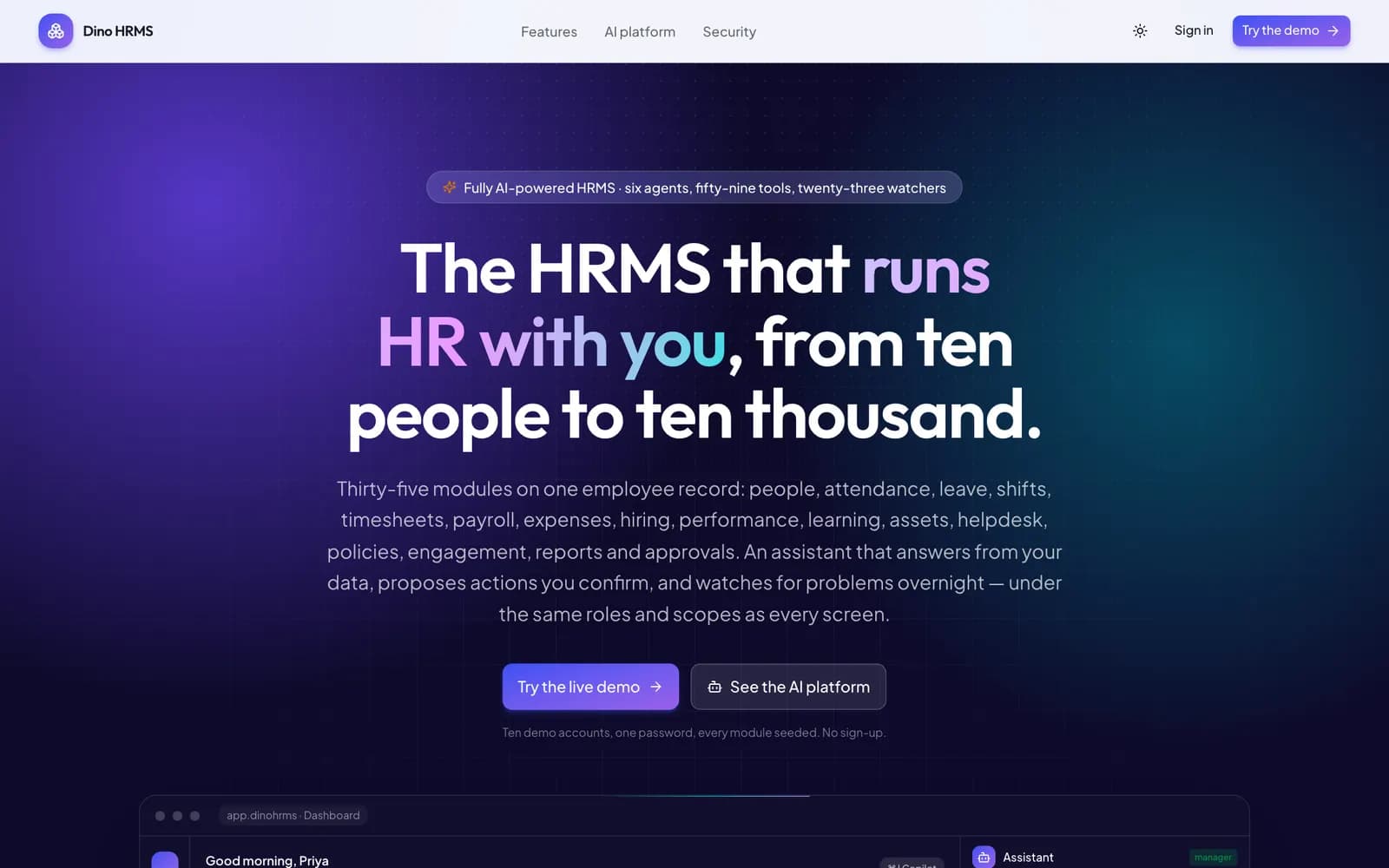
One product. Sized by configuration, not by edition. (Desktop)
adminOne product. Sized by configuration, not by edition. (Desktop)
Not a chatbot bolted on. An assistant that knows who is asking. (Desktop)
adminNot a chatbot bolted on. An assistant that knows who is asking. (Desktop)
Thirty-five modules. One employee record. (Desktop)
adminThirty-five modules. One employee record. (Desktop)
People & Organisation (Desktop)
adminPeople & Organisation (Desktop)
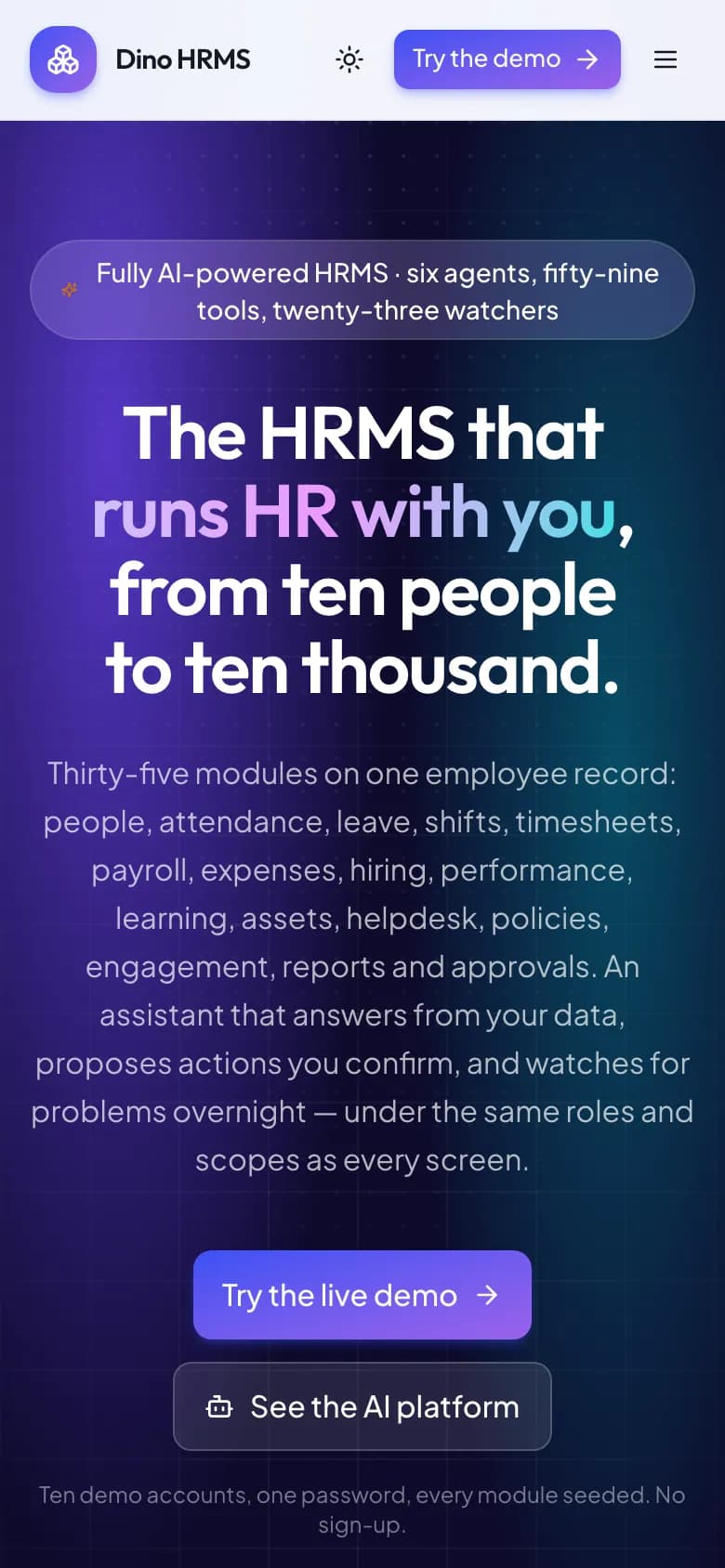
One product. Sized by configuration, not by edition. (Mobile)
mobileOne product. Sized by configuration, not by edition. (Mobile)
Not a chatbot bolted on. An assistant that knows who is asking. (Mobile)
mobileNot a chatbot bolted on. An assistant that knows who is asking. (Mobile)
Product landing page
adminProduct landing page
Feature suites overview
adminFeature suites overview
Admin dashboard with AI analyst brief
adminAdmin dashboard with AI analyst brief
Unified approvals queue
adminUnified approvals queue
Employee directory
adminEmployee directory
Employee record — one profile, eleven tabs
adminEmployee record — one profile, eleven tabs
Organisation chart & reporting lines
adminOrganisation chart & reporting lines
Onboarding checklists
adminOnboarding checklists
Offboarding & exit clearance
adminOffboarding & exit clearance
Attendance logs & regularisation
adminAttendance logs & regularisation
Leave balances & requests
adminLeave balances & requests
Shifts & roster calendar
adminShifts & roster calendar
Project timesheets
adminProject timesheets
Payroll runs dashboard
adminPayroll runs dashboard
Payroll run detail
adminPayroll run detail
Salary structures & components
adminSalary structures & components
Payslip register
adminPayslip register
Expense claims & reimbursements
adminExpense claims & reimbursements
Recruitment pipeline board
adminRecruitment pipeline board
Goals & performance reviews
adminGoals & performance reviews
Learning & course catalogue
adminLearning & course catalogue
Asset inventory & assignment
adminAsset inventory & assignment
HR helpdesk & requests
adminHR helpdesk & requests
Policy handbook & acknowledgements
adminPolicy handbook & acknowledgements
Engagement & announcements
adminEngagement & announcements
Reports & analytics hub
adminReports & analytics hub
AI assistant — answers and confirmed actions
adminAI assistant — answers and confirmed actions
AI usage metrics & caps
adminAI usage metrics & caps
Approval workflow builder
adminApproval workflow builder
Integrations hub
adminIntegrations hub
Roles & permission matrix
adminRoles & permission matrix
Searchable audit trail
adminSearchable audit trail
Employee self-service dashboard
adminEmployee self-service dashboard
Employee payslips
adminEmployee payslips
Reporting manager view
adminReporting manager view
HR admin view
adminHR admin view
Payroll manager view
adminPayroll manager view
Finance manager view
adminFinance manager view
Recruiter view
adminRecruiter view
Internal auditor view
adminInternal auditor view
How the Application Works
End-to-end workflow across Company Admin, HR Admin, Payroll Manager, Finance Manager, Reporting Manager, Recruiter, Internal Auditor, Employee.
HR creates the employee record once; every module reads and writes that same profile
Step 1Employees check in from the web or a device import; punches reconcile against the assigned shift
Step 2Leave requests route through multi-level approval with coverage checks against the team calendar
Step 3Payroll manager calculates the run from attendance, leave, overtime, loans and adjustments
Step 4Run moves draft to calculated to ready to under review; a finance approver signs it off, never the preparer
Step 5Approved run locks the underlying attendance, generates payslips and hands settlements back to finance
Step 6AI watchers sweep every half hour and raise findings linked to the exact record they concern
Step 7Assistant proposals are executed as the confirming person, under that person's permissions, and traced
Step 8Dino HRMS roles, modules and integrations
User roles
Company Admin, HR Admin, Payroll Manager, Finance Manager, Reporting Manager, Recruiter, Internal Auditor, Employee
Modules
Employee Master & Organisation Structure, Documents, Letter Templates & KYC Checklists, Onboarding & Offboarding Checklists, Attendance, Regularisation & Overtime, Leave Policies, Accruals & Balance Ledger, Shifts, Rosters & Timesheets, Payroll Runs, Salary Structures & Payslips, Loans, Advances & Expense Reimbursements, Recruitment, Candidate Pipeline & Offers, Performance Goals, Reviews & Calibration, Learning Management & Course Catalogue, Assets, Helpdesk Requests & Policies, Engagement, Announcements & Surveys, Approval Workflow Builder & Delegation, Reports, Analytics & Morning Digest, AI Assistant, Agents & Watchers, Roles, Permissions, Security & Audit Trail
Integrations
SMTP Email Delivery, Biometric Attendance (ZKTeco / eSSL / CSV), Slack, Google Calendar, S3-Compatible Storage, OpenRouter / OpenAI / Groq / Together / Mistral / Gemini / Ollama
Reports
Headcount, Attrition & Joiner/Leaver Movement, Attendance, Late Marks & Overtime Trends, Leave Balance, Liability & Coverage Risk, Payroll Cost, Statutory Split & Payslip Register, Recruitment Funnel & Time-to-Fill, Performance Goal Progress & Review Completion, Helpdesk SLA & Ticket Resolution, Searchable Audit Trail & Access Review
What You Receive
- Complete source code for the applications and modules in the agreed purchase scope
- Frontend application source code
- Backend API source code
- Admin dashboard source code
- Database schema and migration files
- Application setup documentation
- Environment configuration guidance
- White-label branding support
- Basic deployment assistance
- Server and database migration assistance
- 3 months of technical support
After purchase, you receive the complete source code for the agreed project scope. Branding, basic setup, deployment and migration assistance are included as agreed. A standard branded setup is estimated at approximately 2 weeks after required assets and access are confirmed, subject to the written schedule and third-party dependencies. Three months of technical support starts on the confirmed delivery date.
Deployment and Migration Support
TechDino provides basic migration and deployment assistance to help move the application to the customer's server, VPS, cloud hosting or supported hosting environment. This includes environment setup guidance, database migration, application build guidance and basic deployment verification.
What migration support does not cover
- Hosting fees are not included
- Domain charges are not included
- Paid third-party APIs are not included
- SMS, email, maps and payment-gateway charges are not included
- Major server architecture changes are quoted separately
- New features and large customizations are not included in migration support
Three Months Technical Support Included
Every TechDino project includes three months of technical support from the confirmed delivery date. This support covers installation guidance, deployment-related assistance, configuration help, clarification of the existing codebase and correction of verified issues within the delivered project scope.
Support includes
- Installation guidance
- Environment configuration help
- Deployment clarification
- Database migration clarification
- Existing-feature usage guidance
- Verified bug fixes within the delivered scope
- Basic codebase clarification
- Build and release guidance
Support does not include
- New modules
- New business workflows
- Major UI redesigns
- Third-party service fees
- New third-party integrations
- Infrastructure or hosting costs
- Continuous server administration
- Changes outside the original agreed scope
Additional development, custom features and support after the included three-month period can be provided under a separate support or development agreement.
Source Code and Customization
The customer receives the complete source code included in the agreed product scope. The application can be deployed under the customer's brand, domain and hosting environment. The customer can maintain, extend and customize the delivered application according to the applicable purchase or licence agreement.
Scope for Dino HRMS: Applicable Next.js 15 web application source, Express 5 + TypeScript API, versioned MySQL migrations, seed scripts, Docker Compose stack and setup documentation are provided for the modules in the agreed purchase scope. Licence type: Commercial License / Software Grant.
Usage, copyright and resale termsDino HRMS by market
Dino HRMS is client-hosted, so each deployment can be scoped around the buyer's currency, timezone, payment providers, data-hosting preference and local integration requirements. These market notes describe planning considerations, not a local office or completed client claim.
- India & HyderabadStatutory configuration covers PF, ESI, professional tax, TDS and gratuity, with salary components and formulas per company. ZKTeco and eSSL biometric punches or CSV imports feed shifts, overtime and attendance, and payroll runs move from draft to paid with segregation of duties. Have your payroll adviser review rates and slabs before the first live run.Review market requirements
- UAE & GulfEnd-of-service benefit (EOSB) rules, the workweek and local holiday calendars are set per company, so UAE, Saudi and other Gulf entities can run under one login with separate payroll formulas. WPS salary files and GOSI submissions are scoped separately; confirm both with your payroll adviser.Review market requirements
- USA & CanadaFederal, state or provincial withholding and benefit deductions are set up as salary components and formulas per company, and each entity keeps its own calendar and audit trail. Tax filing and remittance stay with your payroll provider or accountant, and rules are reviewed before the first live run.Review market requirements
- UK & EuropePAYE, National Insurance and pension contributions, or the equivalent deductions in EU countries, are set up as salary components and formulas per company. Field-level encryption, scoped permissions and the audit trail support a GDPR review, and HMRC RTI or other government filing is scoped separately.Review market requirements
- Southeast AsiaCPF in Singapore, EPF, SOCSO and EIS in Malaysia, and BPJS in Indonesia are set up as salary components and formulas per company, with local holiday calendars. Several entities across the region can run under one login with separate payroll formulas and audit trails. Confirm current rates with your payroll adviser.Review market requirements
- Australia & New ZealandSuperannuation and PAYG withholding in Australia, or KiwiSaver and PAYE in New Zealand, are set up as salary components and formulas per company, and shift definitions with overtime thresholds handle rostered staff. Single Touch Payroll and payday filing are scoped separately; confirm rules with your payroll adviser.Review market requirements
- AfricaPAYE, pension and other statutory deductions for Nigeria, Kenya or South Africa are set up as salary components and formulas per company, with local currency and holiday calendars. Biometric punch imports handle shift-based workforces, and statutory returns are filed through your payroll adviser.Review market requirements
- Dino HRMS in IndiaINR
- Dino HRMS in United StatesUSD
- Dino HRMS in United KingdomGBP
- Dino HRMS in AustraliaAUD
- Dino HRMS in United Arab EmiratesAED
- Dino HRMS in Saudi ArabiaSAR
- Dino HRMS in CanadaCAD
- Dino HRMS in SingaporeSGD
- Dino HRMS in GermanyEUR
- Dino HRMS in IrelandEUR
- Dino HRMS in MalaysiaMYR
- Dino HRMS in IndonesiaIDR
Technology and Architecture
Technology stack
- Next.js 15 App Router web application with TanStack Query and Tailwind
- Express 5 + TypeScript REST API, modular monolith with one folder per domain
- MySQL with versioned, checksummed migrations applied once
- Docker Compose stack — one server, no Redis and no message broker to operate
- Permission check plus data-scope predicate compiled into the SQL on every route
- Field-level encryption for sensitive values and signed short-lived links for document access
- Authenticator-app MFA, session revocation, hardened headers and scheduled restorable backups
- Production deployment on Hostinger VPS / Ubuntu with Nginx and TLS
Deployment options
- Client-Controlled VPS
- Hostinger Cloud
- AWS EC2
- DigitalOcean
- On-Premise Server
Data migration covered
- Employee Master Import via Validated CSV with Dry Run
- Opening Leave Balance Setup
- Salary Structure & Component Configuration
- Organisation Tree, Branch & Holiday Calendar Setup
Dino HRMS is fully customizable to your brand
Nothing ships carrying the TechDino name. Every surface a customer or staff member sees is rebranded to your business before handover, and because the source code is yours, your own team can change anything afterwards.
- Business name, logo and app icons
- Brand colour palette and typography
- Your own domain and SSL certificate
- Login, email and notification templates
- Invoice, receipt and report branding
- App-store listing assets under your developer account
- Content, labels and terminology for your market
- Currency, timezone, tax and language settings
White-label options specific to Dino HRMS
- Company name, logo, favicon and brand colour palette across web and PDF output
- Custom domain mapping (e.g. hr.yourcompany.com) with SSL
- Branded payslips, offer letters, appointment letters and HR letter templates
- Custom email and notification templates
- Country, currency, statutory rules, workweek and holiday calendar configuration
- Company Name, Logo, Favicon & Brand Colour Palette
- Custom Domain Mapping & SSL Certificate
- Country Statutory Rules (PF, ESI, PT, TDS, Gratuity, EOSB)
- Salary Components, Formulas & Grade Bands
- Leave Types, Accrual, Carry-Forward & Sandwich Rules
- Shift Definitions, Grace Periods & Overtime Thresholds
- Approval Workflows, SLAs & Escalation Paths
- Roles, Permissions & Data Scopes
Transform Dino HRMS into Your Brand
Toggle between our base demo branding and a customized client launch build.
Theme Colors
Custom Corporate Palette
Domain & SSL
Client Custom Domain
App Stores
Published Under Your Account
What business owners get
- Replace per-employee SaaS subscriptions with software you own and host, with no seat-count billing as you grow.
- Keep salary, identity and audit data on your own server — nothing leaves your infrastructure.
- Bring your own AI model and cap usage per role, instead of paying for a bundled assistant you cannot configure.
- Run one codebase across every entity, branch and country; edition differences are configuration, not a different product.
How TechDino Compares to Alternative Software Delivery Models
Evaluating ready-made software against custom development from scratch or recurring monthly SaaS subscriptions.
Ready-Made Dino HRMS
- Timeline: 2-Week Setup Estimate; final schedule confirmed after scope review
- Pricing: One-time quotation per agreed scope
- Code Access: Full source-code handover included
- Hosting: Self-hosted on client VPS (Hostinger, AWS, DigitalOcean)
- Software Fees: 0 recurring platform fees
Development From Scratch
- Timeline: Onboarding varies by vendor and scope
- Pricing: Agency quotes vary with scope; compare the written quotation you receive
- Code Access: Handed over upon project sign-off
- Hosting: Cloud infrastructure setup
- Risks: Scope changes, milestone delays, untested edge cases
Rental Subscriptions
- Timeline: Onboarding varies by vendor and scope
- Pricing: Compare actual subscription and usage charges
- Code Access: Check the vendor’s source and export terms
- Hosting: Check available hosting and residency options
- Customization: Compare supported extensions and APIs
Global Deployment, Currency & Invoicing Support
Delivery is coordinated remotely from Hyderabad. Currency, language, hosting and payment requirements are reviewed against this product’s included scope.
Scope INR billing, tax fields, gateway credentials and India hosting requirements for this product. Only the integrations listed in the agreed scope are included.
India Market DetailsReview USD/CAD billing, payment-provider eligibility and your preferred hosting country. Gateway and infrastructure choices depend on the product and agreed scope.
USA Market DetailsConfirm AED/SAR billing, language requirements, supported gateways and the exact hosting country. Arabic interfaces and new integrations are separately scoped where not included.
UAE Market DetailsReview GBP/EUR billing, payment providers, export needs and the required hosting country. Hosting alone does not establish regulatory compliance.
UK Market DetailsConfirm AUD/SGD billing, gateway availability and your required hosting country. Payment and deployment options are reviewed for the actual application.
Australia Market DetailsExplore target markets and discuss payment, tax, timezone and hosting requirements for your deployment.
Dino HRMS frequently asked questions
Is Dino HRMS standalone or SaaS?
Dino HRMS is the standalone edition: one organisation installs it on its own server for its own staff. To sell HR and payroll software to many companies, each with its own workspace, database, plan and GST invoice, use the multi-tenant edition, Dino HRMS SaaS.
What is Dino HRMS?
Dino HRMS is a ready-made, white-label human resource management and payroll platform. Thirty-five modules — people, attendance, leave, shifts, timesheets, payroll, expenses, recruitment, performance, learning, assets, helpdesk, policies, engagement, workflows, reports and audit — all read and write a single employee record, with HR, manager and employee self-service portals plus a REST API.
How many employees can Dino HRMS handle?
The same codebase runs a ten-person startup and a multi-entity group of ten thousand. The difference is configuration: how many companies, branches, roles and approval workflows you switch on. There are no editions and no feature gates between sizes.
What does the AI layer actually do?
Three things. It answers questions from your own data through six specialist agents (HR helpdesk, self-service, manager, analyst, recruiter and writer) under the same permission scopes as the screens. It acts through fifty-nine tools, where every write becomes a proposal a person confirms and is then executed as that person. And twenty-three deterministic watchers run every half hour without any model call, flagging missing punches, leave coverage risk, payroll pre-lock issues, SLA breaches, stale goals and stalled hires.
Can we use our own AI model or provider?
Yes. Dino HRMS is bring-your-own-model and works with OpenRouter, OpenAI, Groq, Together, Mistral, Gemini or a local Ollama instance. Usage can be capped per role, and every assistant run is traced — route, tools, hand-offs and verification — so an auditor can replay it.
How does payroll work, and is it safe from tampering?
Payroll calculates from attendance, leave, overtime, loans and adjustments. Each run moves through draft, calculated, ready, under review, approved, locked and paid. The person who prepares a run cannot approve it, approval locks the underlying attendance, and salary formulas are evaluated by a small parser rather than executed as code.
Does it support statutory compliance for our country?
Statutory rules such as PF, ESI, professional tax, TDS, gratuity and end-of-service benefits live in per-country configuration rather than in code, so a rate change is a settings update and not a redeployment. Rules for your specific country and entity structure are configured during setup.
How are permissions and data privacy enforced?
Every API route runs a permission check plus a data-scope predicate — all, company, branch, department, direct reports or self — compiled into the SQL query. Personal and compensation data is withheld by the API rather than hidden in the interface, and sensitive fields are encrypted at rest.
Is there an audit trail?
Yes. Every sensitive action writes the actor, before and after values, reason, IP address and correlation id to a searchable audit log. There is a dedicated read-only auditor role, and a compliance export returns everything held about one person, permission-filtered and itself audited.
Can we integrate biometric attendance devices?
Yes. Attendance accepts device imports and CSV uploads alongside web check-in, and the integrations hub manages connections with stored credentials, connection tests and sync logs. Specific device adapters (for example ZKTeco or eSSL) are configured against your hardware during deployment.
Can Dino HRMS be rebranded with our company name and domain?
Yes. Dino HRMS is fully white-label: your company name, logo, favicon, brand colours, custom domain and SSL, plus branded payslips, offer letters and notification templates.
Is full source code provided?
Yes. TechDino delivers the applicable Next.js web application source, the Express and TypeScript REST API, versioned MySQL migrations, seed scripts, the Docker Compose stack and setup documentation under a commercial software grant, for the modules in the agreed purchase scope.
What infrastructure does it need to run?
One server with MySQL. There is no Redis, no message broker and no object storage requirement — documents are stored on the server and served through short-lived signed links. It deploys with Docker Compose on a Hostinger VPS, AWS EC2, DigitalOcean or your own on-premise hardware.
Is migration support included?
Yes. Basic setup, deployment and database migration assistance is included for moving the application to a supported hosting environment.
How much technical support is included?
Three months of technical support is included from the confirmed project delivery date.
How long does it take to launch Dino HRMS?
A standard branded deployment is estimated at approximately 2 weeks after the scope, brand assets, hosting access and required service credentials are confirmed. The estimate covers agreed branding, environment setup, supported integration configuration, supplied-data migration, testing and handover. Actual timing depends on product scope, data readiness, client approvals and third-party dependencies. Custom modules and new integrations are quoted separately; the written project schedule governs delivery.
Are hosting and third-party charges included?
No. Hosting, domain registration, SMS, email, maps, payment gateways and other paid third-party services are separate.
Can I request new features?
Yes. New features and major customizations can be developed under a separate quotation based on the required scope.
Is pricing published?
No. Every purchase is quoted on scope: product, branding, deployment target, integrations and customisation. Share your requirement on WhatsApp or the contact form and TechDino returns a written quotation after a walkthrough.
Is a mobile application included?
Dino HRMS ships as a web and progressive web application. Native mobile builds are an optional add-on quoted separately, so mobile source code is delivered only when the agreed package includes it.
Related products and resources
Dino HRMS SaaS
Dino HRMS SaaS: AI-Powered Multi-Tenant HR & Payroll SaaS Platform
View productDino VMS
White-Label Vendor Management System
View productDinoSchool SaaS
Multi-Tenant School Management SaaS Platform
View productRetailDino SaaS
White-Label Retail POS & Inventory SaaS Platform with Complete Source Code
View productGuides for Dino HRMS
White-Label HRMS Software: How Modern Enterprises Manage Payroll, Shifts, and Compliance
A practical technical guide to deploying white-label HRMS software for employee records, automated payroll computation, attendance tracking, and self-hosted cloud security.
Read the guideWhite-Label Multi-Branch HRMS and Payroll Software for Singapore Enterprises
Enterprise white-label HRMS and payroll for Singapore: Central Provident Fund (CPF) deductions, IRAS tax reporting, Singpass workflows, and PDPA compliance.
Read the guideSoutheast Asia HRMS & Payroll: Eliminating Per-Seat Cloud SaaS Fees Across Singapore and Malaysia
Mid-market enterprises in Singapore and Malaysia face ballooning per-employee monthly SaaS fees for HR and payroll. Deploying self-hosted HRMS provides CPF, IRAS, and PCB compliance on private infrastructure.
Read the guideSaudi Arabia Enterprise Payroll: Reducing SaaS Expenses with Self-Hosted HRMS
Compare per-employee SaaS subscriptions with self-hosted HRMS in Saudi Arabia. Support GOSI, WPS compliance, and unlimited staff on local cloud VPS.
Read the guideEvaluating Software Ownership vs. Subscriptions: How Self-Hosted Systems Reduce Long-Term Overhead
An architectural and financial comparison between per-user cloud subscriptions and self-hosted business systems for companies seeking predictable IT budgets.
Read the guideDeploy Dino HRMS under your brand
Source code for the agreed scope, migration assistance and three months of technical support, delivered by TechDino.
Or Chat Directly on WhatsAppRequest a Dino HRMS Walkthrough
Tell us what you want to launch. Prepare a WhatsApp message for Nayesh. Response time depends on availability.