
Dino VMS - Vendor Management System for Modern Businesses
White-Label Vendor Management System
Vendor management system with vendor registry, quotation records, invoice tracking, payment history, spend dashboard and role-based team access.
Built for: Vendor Management, Procurement, Supply Chain
- Complete Source Code
- Fully Brand-Customizable
- 2-Week Setup Estimate
- Migration Assistance
- 3 Months Support
Complete source code
Frontend, backend, admin dashboard and database schema for the agreed scope — handed to you, not rented.
Fully customizable to your brand
Business name, logo and app icons, Brand colour palette and typography, Your own domain and SSL certificate, Login, email and notification templates and more — applied before handover.
2-Week Setup Estimate
A standard branded deployment is estimated at approximately 2 weeks after the scope, brand assets, hosting access and required service credentials are confirmed. The estimate covers agreed branding, environment setup, supported integration configuration, supplied-data migration, testing and handover. Actual timing depends on product scope, data readiness, client approvals and third-party dependencies. Custom modules and new integrations are quoted separately; the written project schedule governs delivery.
Dino VMS is a ready-made vendor management system for corporate procurement and finance teams, with a centralized vendor database, quotation management, invoice and payment tracking, document management, a spend dashboard and role-based team access. The purchase includes complete source code for the agreed scope, deployment with migration assistance and three months of technical support; setup is approximately two weeks, estimated after assets and access are confirmed.
What is Dino VMS?
- Launch window
- 14 days for a standard branded deployment
- Tenancy model
- Single business (one organisation per deployment)
- Source code
- Included — Commercial License / Software Grant
- Deployment
- Client-Controlled VPS, Enterprise Cloud VPS
Dino VMS is a vendor management system for finance, admin, procurement and operations teams that track suppliers, quotations, invoices and payments. Administrators register vendor profiles with contact, tax and bank details, log quotations with validity dates and pricing, record invoices with attachments and due dates, and post partial or full payments against them. A spend dashboard shows total spend, outstanding balances, invoice status funnel, active vendors and vendor-wise spend, while employee accounts get role-scoped access. It runs as a single-company deployment, with multi-company or vendor-portal extensions as custom scope, and ships with complete source code for corporates and SMEs in India, the UAE and beyond.
Corporates, SMEs, procurement teams, finance teams, operations teams, and agencies selling white-label business software.
How can you buy Dino VMS?
Dino VMS with source code
Dino VMS is delivered with the complete source code included in the agreed product scope — frontend, backend, admin dashboard, database schema and any applicable mobile application code. Source-code access, licensing rights and ownership terms are set out in the applicable purchase or licence agreement, so the delivered application can be maintained and extended by your own team.
Source-code access, copyright and licensing rightsSelf-hosted Dino VMS
Dino VMS runs on hosting you control — your own VPS, cloud account or existing infrastructure — rather than on a vendor platform. Deployment, database setup and migration assistance are included, and there is no mandatory monthly platform fee attached to the software itself. Third-party services such as payment gateways, SMS providers and hosting are billed by those providers directly.
Self-hosted deployment optionsWhite-label Dino VMS
Dino VMS can use your name, logo, colour scheme, domain and applicable templates; app-store assets apply where a mobile application is in scope. A standard branded deployment is estimated in approximately 2 weeks after scope and required assets are confirmed, subject to client approvals, data readiness, third-party dependencies and the written schedule.
What white-label customization coversDino VMS for agencies and resellers
Agencies, studios and IT partners can take Dino VMS to their own clients under their own brand. Licensing terms for reselling, the number of deployments permitted and any ongoing support arrangement are defined in the applicable agreement before the engagement starts.
Reseller and partner arrangementsApplications Included
Dino VMS is delivered as the 6 applications below. Each one is part of the purchase scope.
- Finance Officer, Procurement Manager, Operations Staff — in any browser01
Customer Web Application
- Role-scoped dashboards for finance, procurement and operations staff.
- Quick actions to add vendors, quotations, invoices and payments from the dashboard.
- Search across vendors, quotations, invoices and payment records.
- Installable progressive web app (PWA)
- The business owner and back-office team02
Admin Dashboard
- Dashboard analytics with key vendor, invoice, and payment metrics.
- Vendor profile directory with contact, document, and transaction history.
- Quotation registry to track, manage, and compare vendor quotations.
- Invoice tracking system with billing details, due dates, and payment status.
- Payment records logger to track history, partial payments, and pending balances.
- Centralized document repository for vendor agreements, files, and billing documents.
- Staff members handling day-to-day operations03
Staff Portal
- Role-specific access and workflows are confirmed in the agreed product scope
- Vendors and suppliers working with the business04
Vendor Portal
- Admin registers vendor with contact, tax and bank details
- Quotation logged against the vendor with validity and pricing
- The applications above, and any system you integrate later05
Backend REST API
- REST endpoints used by the web and admin applications
- Authentication and session handling
- Role and permission checks
- Endpoints for the integrations configured during setup
- Your server or managed database instance06
Database
- Database schema for every module listed above
- Migration files used during setup
- Reference data required for first run
Optional add-ons: Android application, iOS application. These are not part of the standard package and are quoted separately.
Branding and setup plan for Dino VMS
A standard branded deployment is estimated at approximately 2 weeks after the scope, brand assets, hosting access and required service credentials are confirmed. The estimate covers agreed branding, environment setup, supported integration configuration, supplied-data migration, testing and handover. Actual timing depends on product scope, data readiness, client approvals and third-party dependencies. Custom modules and new integrations are quoted separately; the written project schedule governs delivery.
- Day 1–2
1. Requirements and brand assets
Scope confirmation, logo, colour palette, domain, company details and the integration credentials you want configured.
- Day 3–6
2. White-label branding applied
Brand identity, theme colours, typography, app icons, email and notification templates applied across every included interface.
- Day 7–10
3. Deployment and integrations
Server or cloud deployment, domain and SSL, database setup, payment gateway, SMS, email and maps configuration.
- Day 11–14
4. Migration, testing and handover
Migration of supplied data, walkthrough testing, source-code handover, documentation and admin training. Three months of technical support starts here.
Who can use Dino VMS?
- Corporates needing to centralize and organize their vendors and supplier details.
- Finance teams looking for clear visibility into invoices, payments, and spending records.
- Procurement teams wanting to streamline quotation comparisons and records.
- Operations teams looking for a centralized dashboard to track operational communications and vendor history.
- SMEs and growing businesses wanting to transition away from scattered spreadsheets.
- Agencies selling white-label business software solutions to their corporate clients.
- Companies managing multiple vendors, quotations, invoices, and payment records.
Problems Dino VMS solves
Vendor records scattered across spreadsheets
Store all vendor profiles, contact information, and business records in one secure database.
Manual quotation and invoice tracking
Keep complete digital history of vendor quotations and invoices in structured workflows.
Payment follow-up confusion
Maintain clear payment logs, pending amounts, and paid records without manual confusion.
Missing vendor documents and communication history
Refer to vendor-related files, agreement papers, and invoice files from a central repository.
No centralized dashboard for finance and procurement visibility
Real-time dashboard analytics for operations, managers, and finance teams.
Difficult handover between operations and accounts teams
Clean tracking of invoices and payments ensures operations and accounts stay in sync.
Application Features
Every module below ships pre-built and is configurable during white-label setup.
Centralized Vendor Database
Store and manage vendor profiles, contact details, business information, and transaction history in one secure place.
Quotation Management
Manage vendor quotations, compare business records, and keep the complete quotation history organized.
Invoice Management
Track vendor invoices, status, amounts, due dates, and payment progress for better accounts visibility.
Payment Tracking
Maintain accurate records of payments, pending amounts, and paid invoices without relying on spreadsheets.
Document Management
Store vendor-related files, agreement papers, invoices, and quotation documents for quick reference.
Business Dashboard
Quickly understand vendor activity, recent invoices, payments, and important operations metrics in one dashboard.
White-Label Ready
TechDino can customize the application's logo, branding, colors, business name, modules, and domain setup.
Deployment & Customization
TechDino can deploy the system on your domain/subdomain with SSL, production hosting, and custom cloud setup.
Admin panel capabilities
- Dashboard analytics with key vendor, invoice, and payment metrics.
- Vendor profile directory with contact, document, and transaction history.
- Quotation registry to track, manage, and compare vendor quotations.
- Invoice tracking system with billing details, due dates, and payment status.
- Payment records logger to track history, partial payments, and pending balances.
- Centralized document repository for vendor agreements, files, and billing documents.
- User and role management for admin, manager, finance, and operations teams.
- Business setting and system configuration panel.
- Audit-ready activity records for vendor operations and changes.
Team workspace capabilities
- Role-scoped dashboards for finance, procurement and operations staff.
- Quick actions to add vendors, quotations, invoices and payments from the dashboard.
- Search across vendors, quotations, invoices and payment records.
Dino VMS screenshots
Click any image for a full-resolution preview.
Stop Managing Vendor Records, Quotations and Payments in Spreadsheets (Desktop)
adminStop Managing Vendor Records, Quotations and Payments in Spreadsheets (Desktop)
One System for Vendors, Quotations, Invoices and Payments (Desktop)
adminOne System for Vendors, Quotations, Invoices and Payments (Desktop)
Everything Needed to Power Daily Vendor & Admin Workflows (Desktop)
adminEverything Needed to Power Daily Vendor & Admin Workflows (Desktop)
Cohesive Modules Built on One Central Database (Desktop)
adminCohesive Modules Built on One Central Database (Desktop)
Stop Managing Vendor Records, Quotations and Payments in Spreadsheets (Mobile)
mobileStop Managing Vendor Records, Quotations and Payments in Spreadsheets (Mobile)
One System for Vendors, Quotations, Invoices and Payments (Mobile)
mobileOne System for Vendors, Quotations, Invoices and Payments (Mobile)
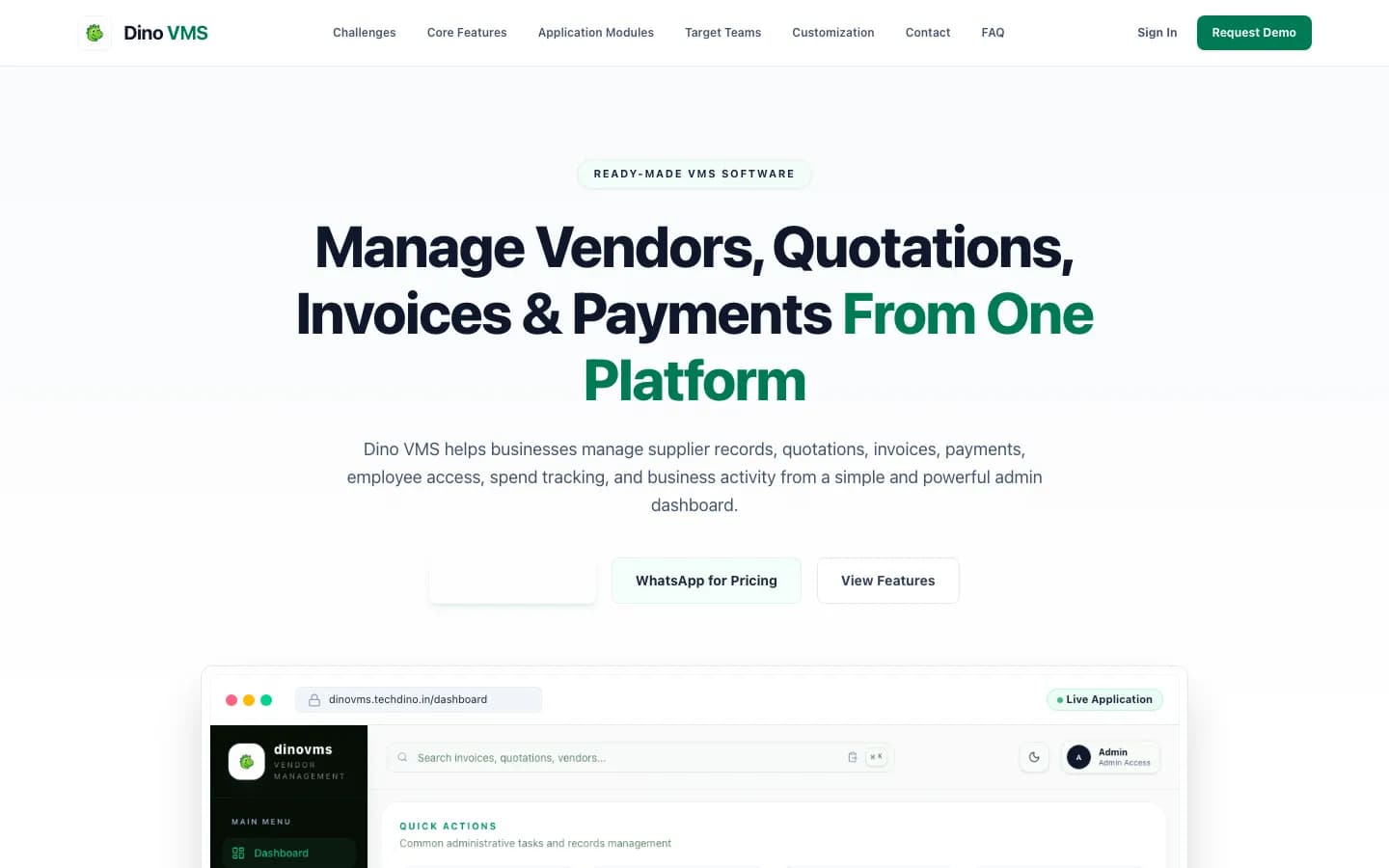
Manage Vendors, Quotations, Invoices & Payments From One Platform — VMS home page (Desktop)
adminManage Vendors, Quotations, Invoices & Payments From One Platform — VMS home page (Desktop)
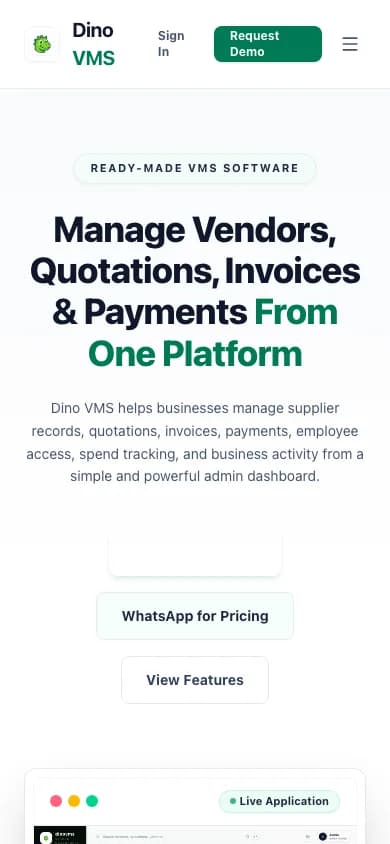
Manage Vendors, Quotations, Invoices & Payments From One Platform — VMS home page (Mobile)
mobileManage Vendors, Quotations, Invoices & Payments From One Platform — VMS home page (Mobile)
How the Application Works
End-to-end workflow across Super Admin, Finance Officer, Procurement Manager, Operations Staff.
Admin registers vendor with contact, tax and bank details
Step 1Quotation logged against the vendor with validity and pricing
Step 2Invoice recorded with attachment, due date and status
Step 3Payment posted in full or in part and history updated
Step 4Dino VMS roles, modules and integrations
User roles
Super Admin, Finance Officer, Procurement Manager, Operations Staff
Modules
Vendor Registry, Quotation Records, Invoice Management, Payment Tracking, Spend Dashboard, Employee Access Control
Integrations
Email Notifications, WhatsApp API, Payment Gateway
Reports
Vendor-Wise Spend Summary, Invoice Status Funnel, Outstanding Vendor Payments
What You Receive
- Complete source code for the applications and modules in the agreed purchase scope
- Frontend application source code
- Backend API source code
- Admin dashboard source code
- Database schema and migration files
- Application setup documentation
- Environment configuration guidance
- White-label branding support
- Basic deployment assistance
- Server and database migration assistance
- 3 months of technical support
After purchase, you receive the complete source code for the agreed project scope. Branding, basic setup, deployment and migration assistance are included as agreed. A standard branded setup is estimated at approximately 2 weeks after required assets and access are confirmed, subject to the written schedule and third-party dependencies. Three months of technical support starts on the confirmed delivery date.
Deployment and Migration Support
TechDino provides basic migration and deployment assistance to help move the application to the customer's server, VPS, cloud hosting or supported hosting environment. This includes environment setup guidance, database migration, application build guidance and basic deployment verification.
What migration support does not cover
- Hosting fees are not included
- Domain charges are not included
- Paid third-party APIs are not included
- SMS, email, maps and payment-gateway charges are not included
- Major server architecture changes are quoted separately
- New features and large customizations are not included in migration support
Three Months Technical Support Included
Every TechDino project includes three months of technical support from the confirmed delivery date. This support covers installation guidance, deployment-related assistance, configuration help, clarification of the existing codebase and correction of verified issues within the delivered project scope.
Support includes
- Installation guidance
- Environment configuration help
- Deployment clarification
- Database migration clarification
- Existing-feature usage guidance
- Verified bug fixes within the delivered scope
- Basic codebase clarification
- Build and release guidance
Support does not include
- New modules
- New business workflows
- Major UI redesigns
- Third-party service fees
- New third-party integrations
- Infrastructure or hosting costs
- Continuous server administration
- Changes outside the original agreed scope
Additional development, custom features and support after the included three-month period can be provided under a separate support or development agreement.
Source Code and Customization
The customer receives the complete source code included in the agreed product scope. The application can be deployed under the customer's brand, domain and hosting environment. The customer can maintain, extend and customize the delivered application according to the applicable purchase or licence agreement.
Scope for Dino VMS: Applicable source code, database schema, included migrations, and setup documentation are provided for the applications and modules listed in the agreed purchase scope. Licence type: Commercial License / Software Grant.
Usage, copyright and resale termsTechnology and Architecture
Technology stack
- React / Next.js responsive web application frontend.
- Secure Node.js / Express backend with robust REST APIs.
- MySQL or PostgreSQL database with indexed records.
- JWT-based authentication with role-based access control.
- Deployed on Hostinger VPS, AWS, or DigitalOcean with Nginx, PM2, and SSL.
Dino VMS is fully customizable to your brand
Nothing ships carrying the TechDino name. Every surface a customer or staff member sees is rebranded to your business before handover, and because the source code is yours, your own team can change anything afterwards.
- Business name, logo and app icons
- Brand colour palette and typography
- Your own domain and SSL certificate
- Login, email and notification templates
- Invoice, receipt and report branding
- App-store listing assets under your developer account
- Content, labels and terminology for your market
- Currency, timezone, tax and language settings
White-label options specific to Dino VMS
- Business name, logo, favicon, colors, and admin dashboard theme.
- Custom domain setup such as vms.yourbrand.com.
- Custom invoice categories, currency, and payment methods.
- Custom role-based permissions (Admin, Finance, Procurement, Operations).
- Email and WhatsApp notification integration for invoices and payments.
- Payment gateway integration for custom vendor payment flows.
- Hosting and production deployment on your preferred VPS provider with SSL.
- Enterprise Branding
- Vendor Record Fields
- Approval Workflow Setup
Transform Dino VMS into Your Brand
Toggle between our base demo branding and a customized client launch build.
Theme Colors
Custom Corporate Palette
Domain & SSL
Client Custom Domain
App Stores
Published Under Your Account
What business owners get
- Centralize Procurement: Bring all vendor details, quotations, invoices, and payment logs into a single source of truth.
- Ready-to-Use Platform: Deploy a complete vendor management system with complete source code under your own brand.
- White-Label Setup: Complete custom branding with your name, logo, domain, and colors.
- Robust VPS Hosting: Hosted securely on your own VPS with complete control over your data.
How TechDino Compares to Alternative Software Delivery Models
Evaluating ready-made software against custom development from scratch or recurring monthly SaaS subscriptions.
Ready-Made Dino VMS
- Timeline: 2-Week Setup Estimate; final schedule confirmed after scope review
- Pricing: One-time quotation per agreed scope
- Code Access: Full source-code handover included
- Hosting: Self-hosted on client VPS (Hostinger, AWS, DigitalOcean)
- Software Fees: 0 recurring platform fees
Development From Scratch
- Timeline: Onboarding varies by vendor and scope
- Pricing: Agency quotes vary with scope; compare the written quotation you receive
- Code Access: Handed over upon project sign-off
- Hosting: Cloud infrastructure setup
- Risks: Scope changes, milestone delays, untested edge cases
Rental Subscriptions
- Timeline: Onboarding varies by vendor and scope
- Pricing: Compare actual subscription and usage charges
- Code Access: Check the vendor’s source and export terms
- Hosting: Check available hosting and residency options
- Customization: Compare supported extensions and APIs
Global Deployment, Currency & Invoicing Support
Delivery is coordinated remotely from Hyderabad. Currency, language, hosting and payment requirements are reviewed against this product’s included scope.
Scope INR billing, tax fields, gateway credentials and India hosting requirements for this product. Only the integrations listed in the agreed scope are included.
India Market DetailsReview USD/CAD billing, payment-provider eligibility and your preferred hosting country. Gateway and infrastructure choices depend on the product and agreed scope.
USA Market DetailsConfirm AED/SAR billing, language requirements, supported gateways and the exact hosting country. Arabic interfaces and new integrations are separately scoped where not included.
UAE Market DetailsReview GBP/EUR billing, payment providers, export needs and the required hosting country. Hosting alone does not establish regulatory compliance.
UK Market DetailsConfirm AUD/SGD billing, gateway availability and your required hosting country. Payment and deployment options are reviewed for the actual application.
Australia Market DetailsExplore target markets and discuss payment, tax, timezone and hosting requirements for your deployment.
Dino VMS frequently asked questions
What is Dino VMS?
Dino VMS is a ready-made vendor management system that helps businesses manage vendors, quotations, invoices, payments, documents, and operational records from one dashboard.
Who can use Dino VMS?
Dino VMS is suitable for corporates, SMEs, procurement teams, finance teams, operations teams, and agencies that want a white-label vendor management product.
Can Dino VMS be white-labeled?
Yes. TechDino can customize Dino VMS with your logo, colors, domain, business name, modules, and deployment setup.
Does Dino VMS include invoice and quotation management?
Yes. Dino VMS includes vendor records, quotation tracking, invoice management, payment records, and business reporting features.
Can TechDino customize Dino VMS for my business workflow?
Yes. TechDino can customize modules, fields, reports, dashboards, branding, roles, and deployment based on your business needs.
Can Dino VMS be deployed on my own domain?
Yes. TechDino can deploy Dino VMS on your own domain or subdomain with SSL and production hosting support.
How are vendors registered in Dino VMS?
Administrators add vendor profiles with company details, contacts, tax and bank information, attach supporting documents and toggle vendor status. A self-service vendor portal is not part of the base product and can be built as custom scope.
Can quotations from several vendors be recorded and compared?
Yes. Each quotation is logged against its vendor with quotation number, validity date, quantity and pricing, so teams can review past rates side by side before converting a quotation into an invoice record. Publishing formal quotation requests to vendors is custom scope.
How are payments tracked against invoices?
Payments are recorded in full or in part against each invoice with transaction reference numbers, and the dashboard separates paid, pending and partially settled balances. Purchase-order and goods-receipt matching is not included in the base product.
Do I receive the complete source code?
Yes. You receive the complete source code included in the agreed project scope, including the available frontend, backend, admin dashboard, database schema and applicable mobile application source code.
Is migration support included?
Yes. Basic setup, deployment and database migration assistance is included for moving the application to a supported hosting environment.
How much technical support is included?
Three months of technical support is included from the confirmed project delivery date.
How long does it take to launch Dino VMS?
A standard branded deployment is estimated at approximately 2 weeks after the scope, brand assets, hosting access and required service credentials are confirmed. The estimate covers agreed branding, environment setup, supported integration configuration, supplied-data migration, testing and handover. Actual timing depends on product scope, data readiness, client approvals and third-party dependencies. Custom modules and new integrations are quoted separately; the written project schedule governs delivery.
Are hosting and third-party charges included?
No. Hosting, domain registration, SMS, email, maps, payment gateways and other paid third-party services are separate.
Can I request new features?
Yes. New features and major customizations can be developed under a separate quotation based on the required scope.
Is pricing published?
No. Every purchase is quoted on scope: product, branding, deployment target, integrations and customisation. Share your requirement on WhatsApp or the contact form and TechDino returns a written quotation after a walkthrough.
Is a mobile application included?
Dino VMS ships as a web and progressive web application. Native mobile builds are an optional add-on quoted separately, so mobile source code is delivered only when the agreed package includes it.
Related products and resources
Dino Business OS
Dino Business OS — AI-Powered Business Operations Software
View productDino Inventory
Dino Inventory — AI-Native Inventory Management Software
View productDino WMS
Dino WMS — AI-Powered Warehouse Management System
View productDinoFleet
DinoFleet — AI-Powered Fleet Management Software
View productDino HRMS
Dino HRMS AI-Powered HR Management & Payroll Software
View productMatrimony App
White-Label Matrimony & Matchmaking Software
View productDino Assets Management
White-Label Asset Management Software & Fixed Asset Register
View productDinoCoworking
White-Label Coworking Management & Workspace Booking Software
View productDino Sales CRM
AI-Powered Sales CRM Software with Source Code
View productDinoFlow
AI-Powered Project Management Software with Source Code
View productDino ERP
AI-Powered ERP Software with Source Code
View productDino HRMS SaaS
Dino HRMS SaaS: AI-Powered Multi-Tenant HR & Payroll SaaS Platform
View productGuides for Dino VMS
Enterprise Visitor Management: Eliminating Recurring Per-Gate Cloud Subscriptions
Replace recurring per-kiosk and per-visitor SaaS fees for corporate headquarters. Deploy QR visitor badges, gatekeeper apps, and logs on private servers.
Read the guideVendor Management System for Procurement and Finance Teams: What to Track and Why
A vendor management system keeps supplier profiles, quotations, invoices, payments and documents in one record. What procurement and finance teams should expect, and how Dino VMS delivers it white-label.
Read the guideVisitor Management System Features for Gated Communities, IT Parks, and Corporate Offices
Discover how digital visitor management software replaces physical paper logs with QR gate passes, vehicle tracking, overstay alerts, and staff notifications.
Read the guideDeploy Dino VMS under your brand
Source code for the agreed scope, migration assistance and three months of technical support, delivered by TechDino.
Or Chat Directly on WhatsAppRequest a Dino VMS Walkthrough
Tell us what you want to launch. Prepare a WhatsApp message for Nayesh. Response time depends on availability.