
Launch Your Own School Management SaaS Platform
Multi-Tenant School Management SaaS Platform
Launch a branded school management SaaS with multi-tenant school portals, platform administration, subscription plans, trials, tenant onboarding, academic operations, fees, attendance, exams, reports, and role-based access.
Built for: Education, SaaS, EdTech, School Groups
- Complete Source Code
- Fully Brand-Customizable
- 2-Week Setup Estimate
- Migration Assistance
- 3 Months Support
Complete source code
Frontend, backend, admin dashboard and database schema for the agreed scope — handed to you, not rented.
Fully customizable to your brand
Business name, logo and app icons, Brand colour palette and typography, Your own domain and SSL certificate, Login, email and notification templates and more — applied before handover.
2-Week Setup Estimate
A standard branded deployment is estimated at approximately 2 weeks after the scope, brand assets, hosting access and required service credentials are confirmed. The estimate covers agreed branding, environment setup, supported integration configuration, supplied-data migration, testing and handover. Actual timing depends on product scope, data readiness, client approvals and third-party dependencies. Custom modules and new integrations are quoted separately; the written project schedule governs delivery.
DinoSchool SaaS is a ready-made multi-tenant school management platform for education resellers and SaaS founders, separating platform administration from each school's admin, with student, staff, attendance and fee management, subscriptions and tenant onboarding. Buyers receive complete source code for the agreed scope with basic migration assistance and three months of technical support, and setup is estimated at approximately two weeks once assets and access are confirmed.
What is DinoSchool SaaS?
- Launch window
- 14 days for a standard branded deployment
- Category
- Education & School ERP Software
- Tenancy model
- Multi-tenant SaaS (many organisations on one deployment)
- Source code
- Included — Commercial License / Software Grant
- Deployment
- Client-Controlled VPS, Cloud Hosting, Docker
DinoSchool SaaS is a ready-made multi-tenant school management SaaS platform for education software resellers, SaaS entrepreneurs, development agencies, school groups, and institutions that want to operate a branded school ERP subscription service. It includes a School Management Portal for each subscribed school tenant and a SaaS Platform Administration panel for the platform owner to manage schools, plans, subscriptions, trials, enquiries, branding, and configuration.
Education software resellers, SaaS founders, software agencies, school groups, EdTech businesses, and institutions operating multiple schools as isolated tenants under a branded subscription platform.
How can you buy DinoSchool SaaS?
DinoSchool SaaS with source code
DinoSchool SaaS is delivered with the complete source code included in the agreed product scope — frontend, backend, admin dashboard, database schema and any applicable mobile application code. Source-code access, licensing rights and ownership terms are set out in the applicable purchase or licence agreement, so the delivered application can be maintained and extended by your own team.
Source-code access, copyright and licensing rightsSelf-hosted DinoSchool SaaS
DinoSchool SaaS runs on hosting you control — your own VPS, cloud account or existing infrastructure — rather than on a vendor platform. Deployment, database setup and migration assistance are included, and there is no mandatory monthly platform fee attached to the software itself. Third-party services such as payment gateways, SMS providers and hosting are billed by those providers directly.
Self-hosted deployment optionsWhite-label DinoSchool SaaS
DinoSchool SaaS can use your name, logo, colour scheme, domain and applicable templates; app-store assets apply where a mobile application is in scope. A standard branded deployment is estimated in approximately 2 weeks after scope and required assets are confirmed, subject to client approvals, data readiness, third-party dependencies and the written schedule.
What white-label customization coversDinoSchool SaaS for agencies and resellers
Agencies, studios and IT partners can take DinoSchool SaaS to their own clients under their own brand. Licensing terms for reselling, the number of deployments permitted and any ongoing support arrangement are defined in the applicable agreement before the engagement starts.
Reseller and partner arrangementsApplications Included
DinoSchool SaaS is delivered as the 6 applications below. Each one is part of the purchase scope.
- Teacher, Student, Parent — in any browser01
School Management Portal
- School dashboard with academic and administrative metrics
- Student profile management with admission records
- Teacher and staff management with role-based access
- Daily attendance tracking for students and teachers
- Fee structure configuration, payment recording, and receipt generation
- Installable progressive web app (PWA)
- The platform operator managing every business account02
Platform Admin
- Create and manage business accounts
- Plan, trial and subscription configuration
- Platform-wide reports and activity
- Role and permission management
- Each business managing its own account and data03
School Admin
- Platform dashboard with tenant, subscription, and trial overview
- School onboarding and tenant lifecycle management
- Subscription plan creation with module and period configuration
- Trial account issuance and management
- Enquiry tracking and response management
- Platform company profile and branding configuration
- Staff members handling day-to-day operations04
Staff Portal
- Teacher and staff access
- Attendance and academic records
- Assigned school operations
- The applications above, and any system you integrate later05
Backend REST API
- REST endpoints used by the web and admin applications
- Authentication and session handling
- Role and permission checks
- Endpoints for the integrations configured during setup
- Your server or managed database instance06
Database
- Database schema for every module listed above
- Migration files used during setup
- Reference data required for first run
Optional add-ons: Android application, iOS application. These are not part of the standard package and are quoted separately.
Branding and setup plan for DinoSchool SaaS
A standard branded deployment is estimated at approximately 2 weeks after the scope, brand assets, hosting access and required service credentials are confirmed. The estimate covers agreed branding, environment setup, supported integration configuration, supplied-data migration, testing and handover. Actual timing depends on product scope, data readiness, client approvals and third-party dependencies. Custom modules and new integrations are quoted separately; the written project schedule governs delivery.
- Day 1–2
1. Requirements and brand assets
Scope confirmation, logo, colour palette, domain, company details and the integration credentials you want configured.
- Day 3–6
2. White-label branding applied
Brand identity, theme colours, typography, app icons, email and notification templates applied across every included interface.
- Day 7–10
3. Deployment and integrations
Server or cloud deployment, domain and SSL, database setup, payment gateway, SMS, email and maps configuration.
- Day 11–14
4. Migration, testing and handover
Migration of supplied data, walkthrough testing, source-code handover, documentation and admin training. Three months of technical support starts here.
Who can use DinoSchool SaaS?
- Education Software Resellers: Operate a branded school management subscription service for institutional clients without building the platform from scratch.
- SaaS Founders: Launch a multi-tenant school management SaaS product with subscription plans, trial accounts, and platform-level administration.
- Web and Mobile Development Agencies: Add a school management SaaS product to your portfolio under your agency brand and domain.
- EdTech Businesses: Offer schools a managed subscription-based platform with role-based portals and academic modules.
- School Chains and Education Groups: Operate multiple schools as separate tenants with centralized platform oversight.
- Institutions with Multiple Campuses: Manage campus-level school operations as isolated tenants under one administrative platform.
Problems DinoSchool SaaS solves
Building a school SaaS platform from zero takes significant development effort
Start with a ready-made multi-tenant school management platform instead of months of custom development.
Managing several schools in a single unstructured application creates data and access risks
Isolate each school as a separate tenant with its own data and user boundaries.
Manual tenant onboarding makes SaaS operations difficult to scale
Onboard schools through a structured platform-level workflow with plans, trials, and configuration.
Subscription periods and trial accounts are hard to manage through spreadsheets
Manage plans, billing periods, trial durations, and subscription status from the platform dashboard.
Schools need role-specific access rather than one shared administrator account
Provide role-based portals for administrators, teachers, students, and parents.
Resellers need their own branding and platform-level control
Configure platform branding, domain, logo, and company information independently of individual school settings.
School information should remain isolated by tenant
Each school operates in its own data space with tenant-level separation.
Enquiries, plans, subscriptions, and school accounts need centralized oversight
Manage the entire tenant lifecycle from one platform administration panel.
Application Features
Every module below ships pre-built and is configurable during white-label setup.
School Dashboard
Overview of key school metrics, recent activity, and quick-access navigation for school administrators.
Student Management
Create and manage student profiles, admission records, class assignments, parent details, and academic history.
Teacher & Staff Management
Manage teacher profiles, subject assignments, role permissions, and staff information.
Attendance Management
Track student and teacher attendance with date-wise records, filters, and reporting.
Fee & Payment Management
Configure fee heads, fee structures, assign fees to students, record payments, track pending dues, and generate receipts.
Exam & Marks Management
Create exams, configure subjects, enter marks, and generate results for each academic session.
Report Cards & Progress
Generate and review student report cards and academic progress summaries.
Certificates
Generate bonafide, transfer, and character certificates from verified student records.
Reports & Exports
Access attendance reports, fee collection summaries, exam results, and exportable data in PDF or Excel format.
School Profile & Settings
Configure school-level information, branding, academic sessions, classes, sections, and subjects.
Platform Dashboard
Overview of all tenant schools, subscriptions, trials, enquiries, and platform-level activity for the SaaS operator.
Tenant & School Management
Onboard, activate, suspend, and manage individual school tenants from the platform level.
Subscription Plans
Create and manage subscription plans with configurable modules, limits, support scope, and billing periods.
Trial Account Management
Issue time-limited trial access to prospective school tenants for evaluation.
Enquiry Management
Track and manage incoming enquiries from prospective schools or reseller partners.
Platform Branding & Settings
Configure platform company profile, logo, branding, default currency, timezone, and operational settings.
Admin panel capabilities
- Platform dashboard with tenant, subscription, and trial overview
- School onboarding and tenant lifecycle management
- Subscription plan creation with module and period configuration
- Trial account issuance and management
- Enquiry tracking and response management
- Platform company profile and branding configuration
- Currency, timezone, and default settings management
- Platform-level user management and permissions
School Portal Features
- School dashboard with academic and administrative metrics
- Student profile management with admission records
- Teacher and staff management with role-based access
- Daily attendance tracking for students and teachers
- Fee structure configuration, payment recording, and receipt generation
- Exam creation, marks entry, result generation, and report cards
- Certificate generation for bonafide, transfer, and character certificates
- Reports and data exports in PDF and Excel formats
DinoSchool SaaS screenshots
Click any image for a full-resolution preview.
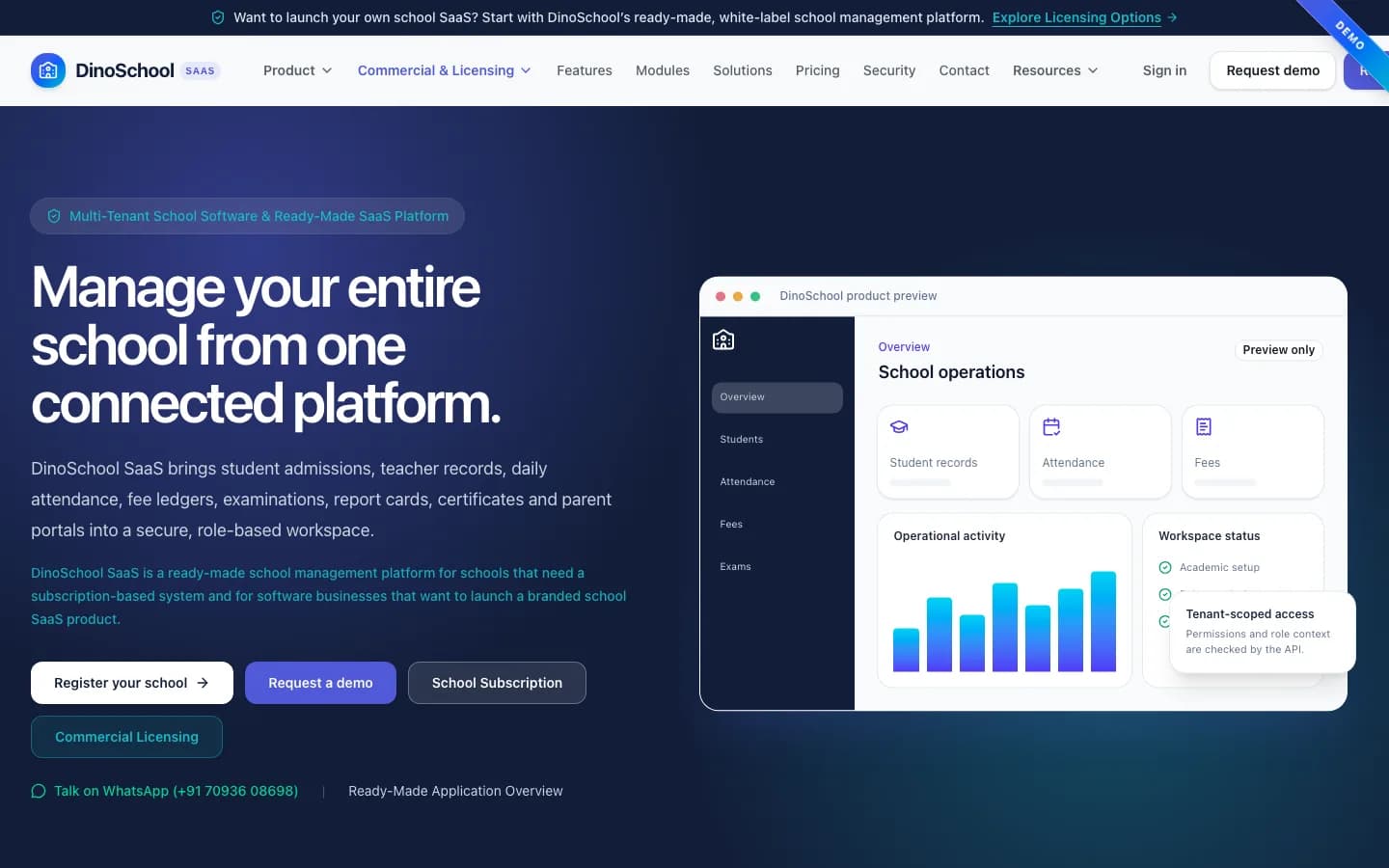
Launch Your Own Branded School Management SaaS (Desktop)
adminLaunch Your Own Branded School Management SaaS (Desktop)
How You Can Use DinoSchool SaaS (Desktop)
adminHow You Can Use DinoSchool SaaS (Desktop)
A Ready-Made School SaaS Application You Can Launch Under Your Brand (Desktop)
adminA Ready-Made School SaaS Application You Can Launch Under Your Brand (Desktop)
Choose the Business Model That Fits Your Needs (Desktop)
adminChoose the Business Model That Fits Your Needs (Desktop)
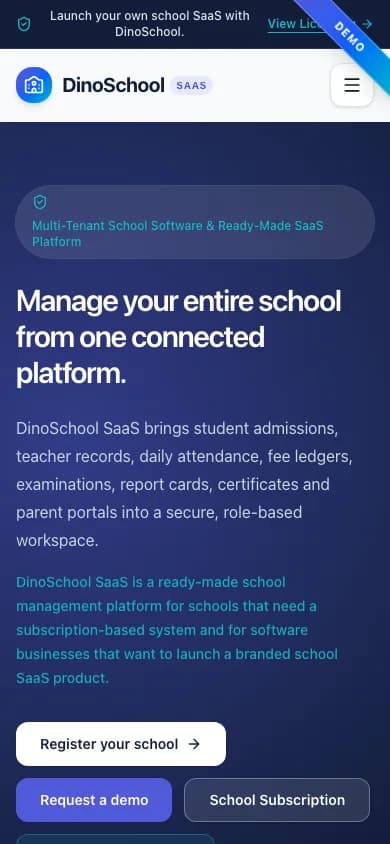
Launch Your Own Branded School Management SaaS (Mobile)
mobileLaunch Your Own Branded School Management SaaS (Mobile)
How You Can Use DinoSchool SaaS (Mobile)
mobileHow You Can Use DinoSchool SaaS (Mobile)
Platform Administration Overview (Desktop)
adminPlatform Administration Overview (Desktop)
Platform Administration Overview (Mobile)
mobilePlatform Administration Overview (Mobile)
How the Application Works
End-to-end workflow across School Admin, Teacher, Student, Parent, Platform Owner.
Platform owner creates subscription plans and configures platform branding
Step 1School registers or is onboarded as a tenant with a plan or trial
Step 2School admin manages students, teachers, attendance, fees, and exams
Step 3Teachers mark attendance and enter exam results for assigned classes
Step 4Parents and students access their own academic information
Step 5Platform owner monitors subscriptions, trials, enquiries, and tenant activity
Step 6DinoSchool SaaS roles, modules and integrations
User roles
School Admin, Teacher, Student, Parent, Platform Owner
Modules
School Dashboard, Student Management, Teacher & Staff Management, Attendance Management, Fee & Payment Management, Exam & Marks Management, Report Cards & Progress, Certificates, Reports & Exports, Platform Dashboard, Tenant & School Management, Subscription Plans, Trial Account Management, Enquiry Management, Platform Settings & Branding
Integrations
Payment Gateways, SMS Notification Gateway, WhatsApp API, Email Service
Reports
Platform Subscription Summary, Active and Trial School Count, School Fee Collection Reports, Student Attendance Reports, Exam Result Reports, Pending Fee Reports
What You Receive
- Complete source code for the applications and modules in the agreed purchase scope
- Frontend application source code
- Backend API source code
- Admin dashboard source code
- Database schema and migration files
- Application setup documentation
- Environment configuration guidance
- White-label branding support
- Basic deployment assistance
- Server and database migration assistance
- 3 months of technical support
After purchase, you receive the complete source code for the agreed project scope. Branding, basic setup, deployment and migration assistance are included as agreed. A standard branded setup is estimated at approximately 2 weeks after required assets and access are confirmed, subject to the written schedule and third-party dependencies. Three months of technical support starts on the confirmed delivery date.
Deployment and Migration Support
TechDino provides basic migration and deployment assistance to help move the application to the customer's server, VPS, cloud hosting or supported hosting environment. This includes environment setup guidance, database migration, application build guidance and basic deployment verification.
What migration support does not cover
- Hosting fees are not included
- Domain charges are not included
- Paid third-party APIs are not included
- SMS, email, maps and payment-gateway charges are not included
- Major server architecture changes are quoted separately
- New features and large customizations are not included in migration support
Three Months Technical Support Included
Every TechDino project includes three months of technical support from the confirmed delivery date. This support covers installation guidance, deployment-related assistance, configuration help, clarification of the existing codebase and correction of verified issues within the delivered project scope.
Support includes
- Installation guidance
- Environment configuration help
- Deployment clarification
- Database migration clarification
- Existing-feature usage guidance
- Verified bug fixes within the delivered scope
- Basic codebase clarification
- Build and release guidance
Support does not include
- New modules
- New business workflows
- Major UI redesigns
- Third-party service fees
- New third-party integrations
- Infrastructure or hosting costs
- Continuous server administration
- Changes outside the original agreed scope
Additional development, custom features and support after the included three-month period can be provided under a separate support or development agreement.
Source Code and Customization
The customer receives the complete source code included in the agreed product scope. The application can be deployed under the customer's brand, domain and hosting environment. The customer can maintain, extend and customize the delivered application according to the applicable purchase or licence agreement.
Scope for DinoSchool SaaS: Applicable source code, database schema, included migrations, and setup documentation are provided for the applications and modules listed in the agreed purchase scope. Licence type: Commercial License / Software Grant.
Usage, copyright and resale termsDinoSchool SaaS by market
Each market page states the payment gateways, billing currency, tax handling and hosting region that apply to a DinoSchool SaaS deployment there, so you can confirm the commercial fit before booking a walkthrough.
- DinoSchool SaaS in IndiaINR
- DinoSchool SaaS in United StatesUSD
- DinoSchool SaaS in United KingdomGBP
- DinoSchool SaaS in AustraliaAUD
- DinoSchool SaaS in United Arab EmiratesAED
- DinoSchool SaaS in Saudi ArabiaSAR
- DinoSchool SaaS in CanadaCAD
- DinoSchool SaaS in SingaporeSGD
- DinoSchool SaaS in GermanyEUR
- DinoSchool SaaS in IrelandEUR
- DinoSchool SaaS in MalaysiaMYR
- DinoSchool SaaS in IndonesiaIDR
Technology and Architecture
Technology stack
- Responsive Web Application (React / Vite frontend)
- REST API Backend (Node.js / Express)
- Relational Database with Prisma ORM
- Multi-Tenant Data Architecture
- Role-Based Authorization
- Platform Administration Panel
- School Management Portal
- VPS Deployment with SSL and Custom Domain
Data migration covered
- School Data Import
- Student Records Migration
- Staff Records Setup
DinoSchool SaaS is fully customizable to your brand
Nothing ships carrying the TechDino name. Every surface a customer or staff member sees is rebranded to your business before handover, and because the source code is yours, your own team can change anything afterwards.
- Business name, logo and app icons
- Brand colour palette and typography
- Your own domain and SSL certificate
- Login, email and notification templates
- Invoice, receipt and report branding
- App-store listing assets under your developer account
- Content, labels and terminology for your market
- Currency, timezone, tax and language settings
White-label options specific to DinoSchool SaaS
- Platform business name, logo, and brand colors
- Custom domain for the SaaS platform
- School-level branding per tenant
- Subscription plan names, pricing, and module configurations
- Currency and timezone defaults
- Email notification templates
- Login page branding for school and platform portals
- Certificate and report templates
- SMS and WhatsApp integration under reseller accounts
- Payment gateway configuration
- Platform Branding & Logo
- Custom Domain Setup
- Subscription Plan Configuration
- Module & Permission Customization
- Currency & Timezone Settings
- Regional Workflow Adjustments
Transform DinoSchool SaaS into Your Brand
Toggle between our base demo branding and a customized client launch build.
Theme Colors
Custom Corporate Palette
Domain & SSL
Client Custom Domain
App Stores
Published Under Your Account
What business owners get
- Launch a branded multi-tenant school management SaaS without building the platform from scratch.
- Onboard multiple schools as isolated tenants with structured subscription and trial management.
- Control platform branding, plans, enquiries, and tenant lifecycle from one administration panel.
- Provide each school with role-based portals for administrators, teachers, students, and parents.
How TechDino Compares to Alternative Software Delivery Models
Evaluating ready-made software against custom development from scratch or recurring monthly SaaS subscriptions.
Ready-Made DinoSchool SaaS
- Timeline: 2-Week Setup Estimate; final schedule confirmed after scope review
- Pricing: One-time quotation per agreed scope
- Code Access: Full source-code handover included
- Hosting: Self-hosted on client VPS (Hostinger, AWS, DigitalOcean)
- Software Fees: 0 recurring platform fees
Development From Scratch
- Timeline: Onboarding varies by vendor and scope
- Pricing: Agency quotes vary with scope; compare the written quotation you receive
- Code Access: Handed over upon project sign-off
- Hosting: Cloud infrastructure setup
- Risks: Scope changes, milestone delays, untested edge cases
Rental Subscriptions
- Timeline: Onboarding varies by vendor and scope
- Pricing: Compare actual subscription and usage charges
- Code Access: Check the vendor’s source and export terms
- Hosting: Check available hosting and residency options
- Customization: Compare supported extensions and APIs
Global Deployment, Currency & Invoicing Support
Delivery is coordinated remotely from Hyderabad. Currency, language, hosting and payment requirements are reviewed against this product’s included scope.
Scope INR billing, tax fields, gateway credentials and India hosting requirements for this product. Only the integrations listed in the agreed scope are included.
India Market DetailsReview USD/CAD billing, payment-provider eligibility and your preferred hosting country. Gateway and infrastructure choices depend on the product and agreed scope.
USA Market DetailsConfirm AED/SAR billing, language requirements, supported gateways and the exact hosting country. Arabic interfaces and new integrations are separately scoped where not included.
UAE Market DetailsReview GBP/EUR billing, payment providers, export needs and the required hosting country. Hosting alone does not establish regulatory compliance.
UK Market DetailsConfirm AUD/SGD billing, gateway availability and your required hosting country. Payment and deployment options are reviewed for the actual application.
Australia Market DetailsExplore target markets and discuss payment, tax, timezone and hosting requirements for your deployment.
DinoSchool SaaS frequently asked questions
What is DinoSchool SaaS?
DinoSchool SaaS is a ready-made multi-tenant school management platform that allows a SaaS operator to onboard multiple schools, assign subscription plans or trials, and provide each school with a separate role-based management portal for academic and administrative operations.
How is DinoSchool SaaS different from the existing School App?
School App is a single-business school management software designed for one school or education institution. DinoSchool SaaS is a multi-tenant SaaS platform that lets a software reseller or business operator run a subscription service for multiple independent school tenants, with a separate platform administration panel.
Can I launch the platform under my own brand?
Yes. The platform supports white-label branding including your business name, logo, domain, colors, and login page branding for both the school portal and the platform administration panel.
Can multiple schools use the same SaaS platform?
Yes. DinoSchool SaaS is built with a multi-tenant architecture where each school operates as a separate tenant with its own data, users, and configuration, all managed from the platform owner's administration panel.
Is each school's data separated?
Yes. Each school tenant has its own isolated data space. Student records, staff information, attendance, fees, exam results, and other school data are separated by tenant boundaries.
What is the difference between the school login and platform login?
The school login at /login is used by authorized school users — administrators, teachers, students, and parents — to access school-level academic and administrative operations. The platform login at /platform/login is used by the SaaS platform owner or reseller to manage tenants, plans, subscriptions, trials, enquiries, and platform-level configuration.
Can I create subscription plans for schools?
Yes. The platform administration panel allows you to create and manage subscription plans with configurable modules, limits, support scope, and billing periods such as monthly, quarterly, half-yearly, and yearly terms.
Does it support trial school accounts?
Yes. The platform supports trial account issuance for prospective schools, allowing them to evaluate the system before subscribing to a paid plan.
Which school roles are available?
The school portal supports role-based access for school administrators, teachers, students, and parents. Each role sees only the information and functionality appropriate to their access level.
Can modules and permissions be customized?
Yes. Module availability, permission configurations, and workflow adjustments can be customized based on the agreed licence and implementation scope.
Is source code available?
Applicable source code, database schema, included migrations, and setup documentation are provided for the applications and modules listed in the agreed purchase scope, under the applicable commercial licence agreement.
Can TechDino deploy the application on my server?
Yes. TechDino can assist with deployment on your VPS or cloud server, including domain mapping, SSL configuration, database setup, and environment configuration.
Can payment, WhatsApp, SMS, or email services be integrated?
Yes. Third-party integrations such as payment gateways, WhatsApp Business API, SMS providers, and email services can be configured during setup. These require separate third-party accounts and may involve additional charges.
Can existing school data be imported?
Data import and migration from existing records, spreadsheets, or legacy systems can be reviewed and handled as part of the agreed implementation scope.
Is public pricing available?
No. Pricing is not publicly listed. Licensing, deployment, customization, and support costs are provided through a scope-based quotation after discussing your requirements with TechDino.
Can the platform support different currencies and timezones?
Yes. The platform administration panel includes default currency and timezone configuration that applies across the platform and its tenant schools.
Is migration support included?
Yes. Basic setup, deployment and database migration assistance is included for moving the application to a supported hosting environment.
How much technical support is included?
Three months of technical support is included from the confirmed project delivery date.
Are hosting and third-party charges included?
No. Hosting, domain registration, SMS, email, maps, payment gateways and other paid third-party services are separate.
Can I request new features?
Yes. New features and major customizations can be developed under a separate quotation based on the required scope.
Is pricing published?
No. Every purchase is quoted on scope: product, branding, deployment target, integrations and customisation. Share your requirement on WhatsApp or the contact form and TechDino returns a written quotation after a walkthrough.
Is a mobile application included?
DinoSchool SaaS ships as a web and progressive web application. Native mobile builds are an optional add-on quoted separately, so mobile source code is delivered only when the agreed package includes it.
Related products and resources
Guides for DinoSchool SaaS
East African Academy Operations: Reducing School ERP Fees with M-Pesa Integration
Avoid per-student foreign currency software subscriptions in Kenya and East Africa. Deploy self-hosted school ERP with automated M-Pesa fee collection.
Read the guideInstitutional Software Planning: Managing Academy Budgets with Self-Hosted School ERP
Compare per-student cloud subscriptions with self-hosted school ERP software. Eliminate recurring seat fees while securing student records on private cloud.
Read the guideWhite-Label School ERP and Student Information System for Indian Institutions
Complete guide to white-label school ERP software in India: CBSE/ICSE grading schemes, automated UPI/Razorpay fee receipts, and multi-campus management.
Read the guideMulti-Tenant School Management SaaS Architecture: How to Build and Scale an EdTech Platform
Explore the technical architecture, tenant data isolation models, billing engines, and deployment strategies for launching a multi-school management SaaS platform.
Read the guideDeploy DinoSchool SaaS under your brand
Source code for the agreed scope, migration assistance and three months of technical support, delivered by TechDino.
Or Chat Directly on WhatsAppRequest a DinoSchool SaaS Walkthrough
Tell us what you want to launch. Prepare a WhatsApp message for Nayesh. Response time depends on availability.